Activity Timeline
Last reviewed November 15, 2026 (checked against the Trust Center v2.1 branch).
Activity is the cross-company operational feed, shown as the Activity tab of Trust Center. It combines agent runs, chats, tickets, handoffs, alerts, dispatches, files/checkpoints, races, debriefs, memories, messages, outside actions and stopped actions into one chronological view.
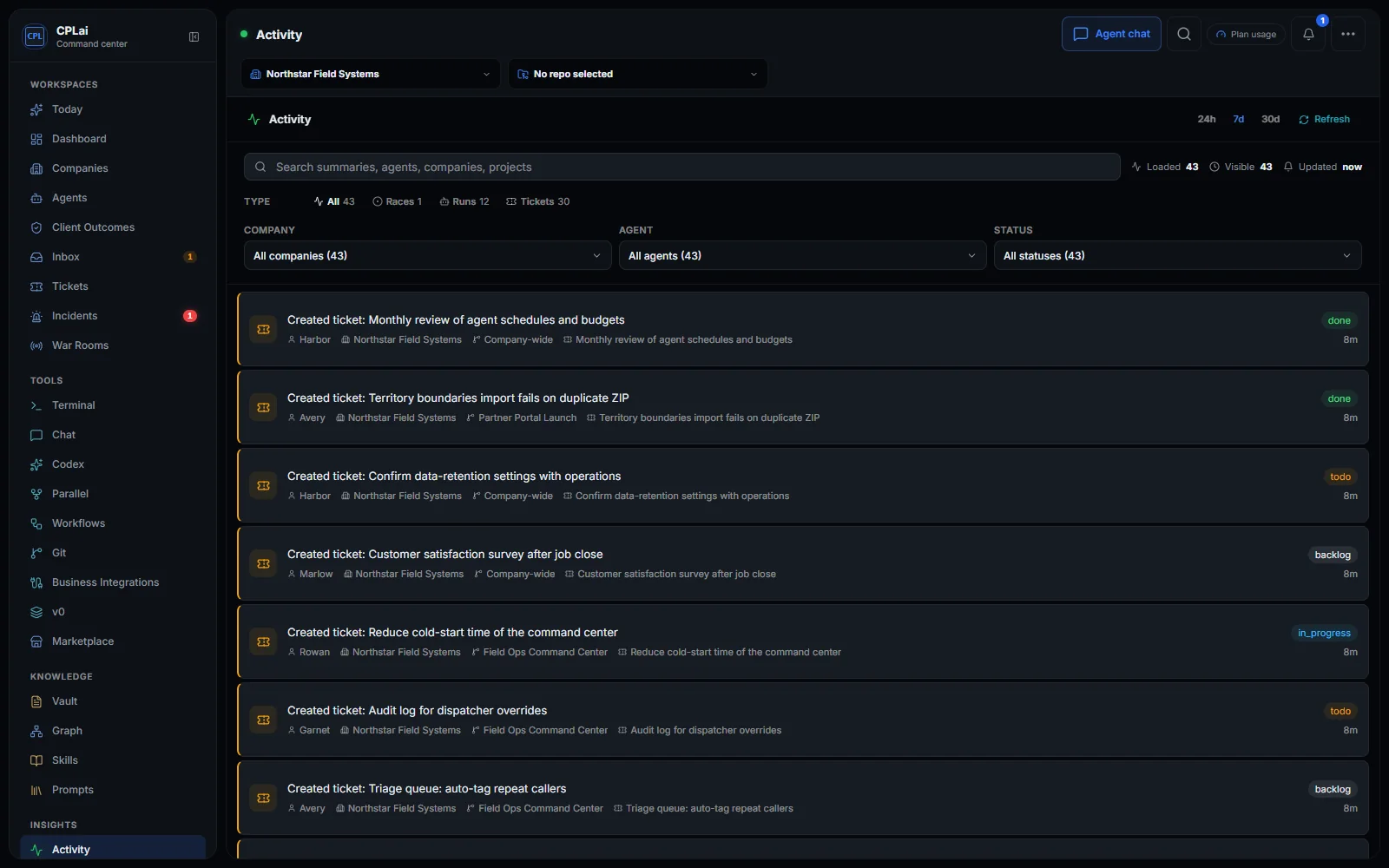
Open Activity
Open Trust Center, then the Activity tab. On web it is at /trust-center?tab=activity, and the old /activity address opens it; on desktop, anything that used to open the Activity page opens the tab. It works with any workspace selected, including All Workspaces, and first loads a time-bounded event window from the CPLai service.
Filter the feed
Use the controls above the feed to narrow the loaded events:
- time window: 24 hours, 7 days, or 30 days;
- event category chips with counts, including Outside actions (email, pull requests, web posts and other actions outside CPLai) and Stopped (actions that did not happen, with the reason);
- free-text search across summaries, agents, companies, and projects;
- company, agent, and status filters. The company filter follows the workspace picker in the page header.
The Loaded metric is the number returned for the selected window. Visible is the number left after client-side filters. Updated shows when that result was generated.
Inspect an event
Select a row to open its detail panel without leaving the tab. When the source data is available, the panel loads the run transcript, conversation messages, or ticket comments. Choose Open to jump to the related full page.
Not every rollup event has a navigable source. Those rows still show their summary, status, company, project, agent, and event metadata.
Refresh behavior
The desktop page refreshes every 30 seconds and supports manual refresh. The web page loads the same activity API and merges live service events when its authenticated WebSocket is connected. If live updates are interrupted, reload or use Refresh after restoring the connection.
Troubleshooting
No events appear
Widen the time window, clear category and scope filters, then choose Refresh. Confirm the service is connected on the Trust Center Status tab.
A row opens no transcript
Some event categories are summaries only. A transcript also may be unavailable if its source record was deleted or aged out under the applicable retention policy.
A row opens the wrong scope
Check the active company/project context after navigation. Activity is cross-company, while the destination page may apply its own current scope.