Product Surface Map
Last reviewed November 15, 2026 (checked against the app).
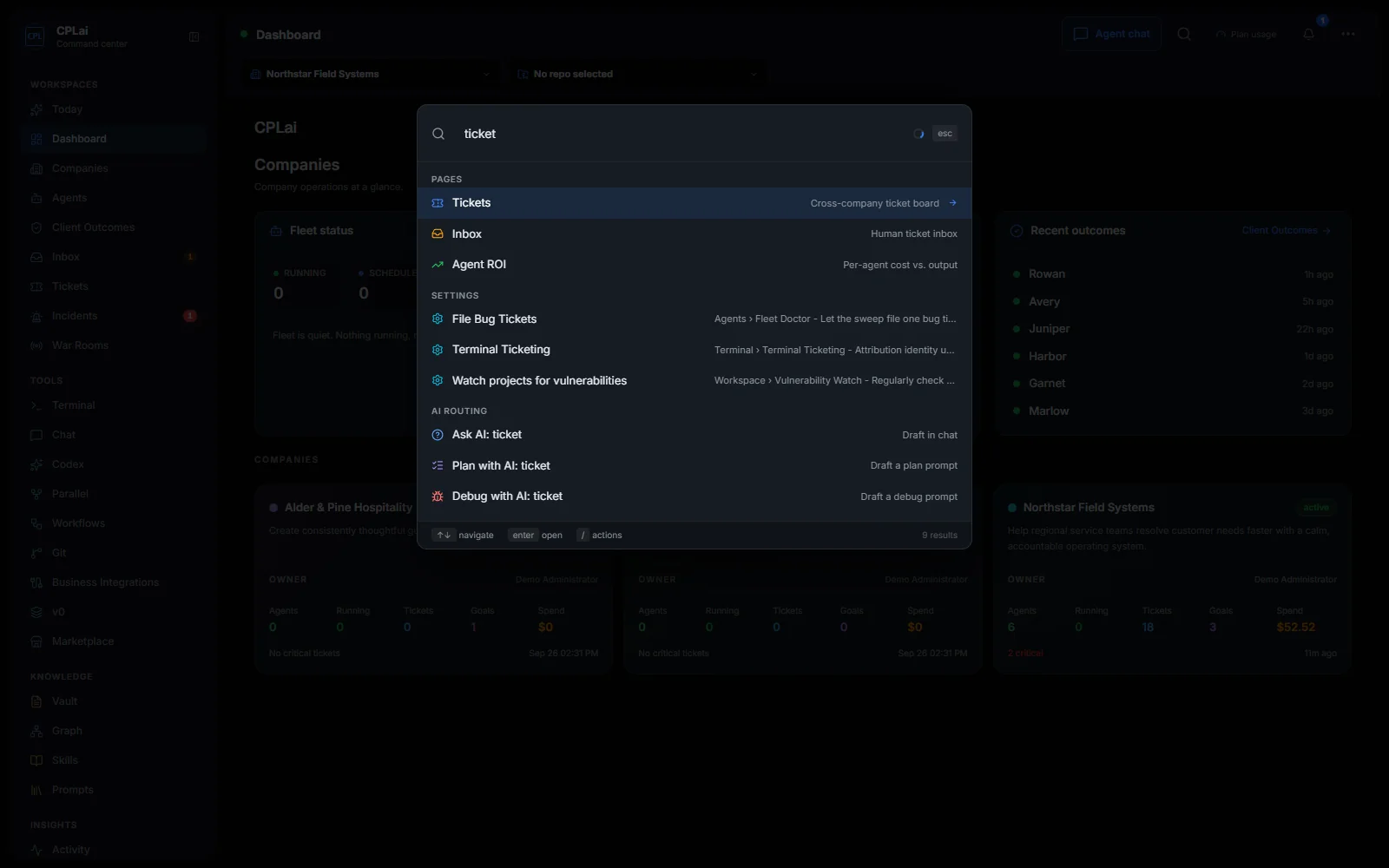
Use this page to find the guide for every current desktop page, web route, nested workspace, and global surface. Core comes first; add-ons, the dashboards that come with a team, Labs and administration follow under their own headings. What CPLai Is and Is Not explains the tiers.
Core
Desktop pages
| Desktop view | How it opens | Primary guide |
|---|---|---|
| Today | Sidebar or Ctrl+1 |
Chief of Staff |
| Dashboard | Sidebar or Ctrl+2 |
Companies |
| Companies | Sidebar or Ctrl+3 |
Companies |
| Agents | Sidebar or Ctrl+4 |
Agents |
| Inbox | Sidebar or Ctrl+6 |
Inbox |
| Tickets | Sidebar or Ctrl+7 |
Tickets |
| Projects | Command Palette | Projects and Plans |
| Terminal | Sidebar | Terminal |
| Terminal Supervisor | Terminal toolbar -> Open supervisor | Supervisor and broadcast |
| Terminal Council | Type /council [request] from Terminal |
Council |
| Development workspaces | Terminal layers menu -> Development workspaces | Development Workspaces |
| Chat | Sidebar or Ctrl+N (new conversation) |
Chat |
| Codex | Sidebar | Codex |
| Parallel | Sidebar | Parallel Agent Racing |
| Git | Sidebar | Git |
| Vault | Sidebar | Vault |
| Graph | Sidebar | Knowledge Graph |
| Skills | Sidebar | Skills and Prompts |
| Manual | Help button in the title bar (page-aware) or Command Palette | Index |
| Activity | Sidebar | Activity |
| Status | Sidebar | System Status |
| Billing | Sidebar | Usage and Costs |
| Agent ROI | Sidebar | Agent ROI |
| AI Insights | Sidebar | AI Insights |
| Trust Center | Sidebar | Trust Center |
The sidebar intentionally omits Projects, Goals, Manual, and Settings from its scrolling sections. Projects and Goals remain available through the Command Palette. Manual and Settings open from the title bar or Command Palette.
Web routes
All paths below are relative to the web dashboard base path.
| Route | Surface | Primary guide |
|---|---|---|
/ |
Dashboard on larger screens; Agent chat on phones | Web access |
/home |
Cross-company dashboard, including from phone navigation | Companies |
/agent-chat |
Full-page agent chat with searchable agent selection and retained drafts | Web access |
/onboarding |
Default-off compact web onboarding preview; when disabled, the standard desktop wizard remains the setup path | Onboarding |
/companies |
Company portfolio | Companies |
/companies/:id |
Company workspace and capability dashboards | Companies |
/agents |
Live fleet wall, federated instance pairing, and agent directory | Agents |
/agents/:id |
Agent detail, redirected into its company when company-scoped | Agents |
/inbox and /inbox/:id |
Human-action ticket inbox | Inbox |
/activity |
Redirects to Trust Center's Activity tab (/trust-center?tab=activity) |
Activity |
/projects |
Cross-company project gallery with New Project | Projects and Plans |
/projects/:id |
Project Git, files, plans, tickets, and terminal | Projects and Plans |
/chat and /chat/:id |
Chat and conversation routes | Chat |
/terminal |
Browser terminal sessions | Terminal |
/races, /races/metrics, and /races/:id |
Races, race metrics, and one race (a race-finished notification opens that race) | Parallel Agent Racing |
/tasks |
Tasks: hand a coding task to any engine; it works in its own copy of the project | Tasks |
/tasks/codex-sessions |
Earlier sessions from the old Codex page | Codex |
/codex |
Redirects to /tasks |
Tasks |
/git |
Web Git surface | Git |
/vault |
Web vault editor and search; ?tab=graph opens the Graph tab |
Vault |
/graph |
Redirects to the Vault page's Graph tab (/vault?tab=graph): the knowledge graph over the vault (Cosmograph canvas, company/domain tree, node panel) |
Knowledge Graph |
/skills |
Skills library | Skills and Prompts |
/manual |
In-app user manual (served at /docs; opened by the page-aware Help for this page item in the top bar's Workspace tools (...) menu) |
Index |
/status |
Redirects to Trust Center's Status tab (/trust-center?tab=status) |
System Status |
/usage |
Usage: costs, Agent ROI, AI Insights and the Revenue Ledger; ?tab=roi, insights or revenue opens a tab |
Usage and Costs |
/roi |
Redirects to the Usage page's Agent ROI tab (/usage?tab=roi) |
Agent ROI |
/insights |
Redirects to the Usage page's AI Insights tab (/usage?tab=insights) |
AI Insights |
/trust-center |
What agents did, what was stopped, alerts, the activity timeline, Vulnerability Watch, service status, facts, safety rules, and the full record; ?tab=overview, attention, activity, vuln, status, facts, safety or record opens a tab |
Trust Center |
/connect-assistant |
Approve or deny a device code from an outside assistant (Claude Code, Claude Desktop, Codex) connecting over MCP | Assistant Connection |
/today |
Chief of Staff: agenda, what needs you, day plan, and to-dos (until the assistant is set up, the page shows a setup prompt) | Chief of Staff |
/tickets and /tickets/:id |
Direct ticket board route | Tickets |
/goals/:id |
Direct goal route (notification deep link opens that goal) | Goals |
/mission-control redirects to Agents. /race-metrics redirects to /races/metrics.
Global surfaces
| Surface | Availability | Guide |
|---|---|---|
| Command Palette | Desktop and web | App-Wide Features |
| Start Work | Desktop and web | Quickstart |
| File Browser | Desktop and web | App-Wide Features |
| App-wide chat dock | Desktop and web | App-Wide Features |
| Notification center | Desktop and web | App-Wide Features |
| Workspace and Repo breadcrumbs | Desktop page header and web top bar | App-Wide Features |
| Pull request mailbox | Desktop and web Git and Terminal toolbars | Git |
| Worktree maintenance | Desktop and web Git -> Maintenance | Git |
| Mobile bottom navigation and More sheet | Web | Web Dashboard and Remote Access |
| Onboarding wizard | Desktop | Guided Onboarding |
| First-run runtime and browser setup | Desktop | Getting Started |
| Agent Memory Files wizard | Desktop | Agent Memory Files |
| Tool approval dialog | Desktop and web Chat | Chat |
| Quick Capture | Desktop | App-Wide Features |
| Terminal Council panel | Desktop and web Terminal | Council |
| Development workspace panel | Desktop and web Terminal | Development Workspaces |
| Ask Peak manual answers and citations | Desktop and web Help / Peak surfaces | App-Wide Features |
Company workspace tabs
Desktop and web company workspaces share these structural tabs:
- Overview
- Agents or Agents & Teams
- Projects
- Tickets
- Goals
- Org Chart
- Knowledge
- Brand Voice (web adds the Brand Kit visual identity and lint tester)
Web administrators also see Keychain Types, Teams, and Users controls. The Help Center, Compliance and White Label tabs are add-ons, and the capability tabs come with a team (both below). See Companies.
Agent detail tabs
The web agent detail surface contains Run History, Live Log, Replay, Channels, Reflect, Tickets, Memory, Browser, Chat, and Keychain. Operators also see Upload, and administrators also see Schedule and Edit. Desktop presents the same underlying run, chat, memory, browser, scheduling, editing, and credential features through its agent detail panel and related dialogs. See Agents.
Project detail tabs
The web project route contains Git, Files, Plans, and Tickets tabs plus its project terminal region. The desktop project workspace organizes the same work around its project dashboard, plan viewer, file editor, terminal drawer, and advisor. See Projects and Plans.
Add-ons
Desktop pages
| Desktop view | How it opens | Primary guide |
|---|---|---|
| Client Outcomes | Sidebar or Ctrl+5 |
Client Outcomes |
| Goals | Command Palette | Goals |
| Incidents | Sidebar or Ctrl+8 |
Incidents |
| War Rooms | Sidebar | Incidents |
| Workflows | Sidebar | Workflows |
| Business Integrations | Sidebar | Business Integrations |
| Designer (formerly Web Designer and v0) | Sidebar | Designer |
| Marketplace | Sidebar | Marketplace |
| Prompts | Sidebar | Skills and Prompts |
Web routes
| Route | Surface | Primary guide |
|---|---|---|
/outcomes and /outcomes/reviews/:reviewId |
Client reviews: prototype delivery links, versions, client feedback | Client Outcomes |
/outcomes/runs, /outcomes/runs/:runId, and /outcomes/:runId |
Authenticated client-safe run outcome | Client Outcomes |
/workflows and /workflows/:id |
Workflow list, editor, visual graph, and runs | Workflows |
/integrations |
Business service connections | Business Integrations |
/web-designer |
Designer page; an old /v0 link redirects here |
Designer |
/marketplace |
Pack Marketplace: install Company Packs from the registry | Marketplace |
/prompts |
Prompt library | Skills and Prompts |
/incidents and /incidents/:id |
Incident war-room list and detail | Incidents |
/war-rooms and /war-rooms/:id |
Multi-user war rooms: live rooms where humans and agents collaborate (presence, @agent mention replies, optional incident link) | Incidents |
/goals |
Direct goals route | Goals |
Company workspace tabs (web)
Help Center (the public help-site publisher), Compliance (starting templates that check which CPLai controls are on, plus evidence export) and White Label (per-client branding) are web-only company tabs. See Companies.
Editor and browser companions
| Surface | Opens in | Guide |
|---|---|---|
| Page clipping, Quick Ask, and GitHub PR badges | Browser extension popup and GitHub pages | Chrome Extension |
API-first automation services
Mission Contracts, Agent Release Rings, Workflow Miner, Decision Observatory, Truth Maintenance, Workforce Architect, and Company Twin are available to trusted integrations through authenticated CPL APIs. They do not have standalone desktop or web pages. See Automation Services.
Comes with a team
Enabled capabilities add dynamic tabs to a company workspace, such as Leadership, Content Creation, Growth, SEO, Outreach, or Engineering. They appear when you hire the team for that work. See Companies, Engineering Dashboard and Content Dashboard.
Labs
Companion hardware surfaces
| Surface | Availability | Guide |
|---|---|---|
| Mission Control | Corsair Xeneon Edge through iCUE | Xeneon Edge Widgets |
| Agent Control | Corsair Xeneon Edge through iCUE | Xeneon Edge Widgets |
| Living Graph | Corsair Xeneon Edge through iCUE | Xeneon Edge Widgets |
Voice Approval works over the phone and has no page in the app; see Voice Approval.
Administration
Settings
| Desktop view | How it opens | Primary guide |
|---|---|---|
| Settings | Title bar or Command Palette | Settings |
| Route | Surface | Primary guide |
|---|---|---|
/settings |
Shared settings | Settings |
/onboarding-preview |
Preview of the new first-run setup conversation. It saves nothing: no hire, no kickoff, no install | Onboarding |
/admin redirects to the Admin section of Settings (/settings?section=admin); see Web Administration.
Settings sections
Desktop and web use the same fifteen sections, in five groups:
| Group | Sections |
|---|---|
| You | Appearance, Plan & costs |
| Daily work | Chat, Terminal, Chief of Staff |
| AI and agents | Models, Utility models, Agents, Knowledge & memory |
| Connections and security | Integrations, Keychain, Admin |
| System | Files & storage, Developer tools, About & updates |
On web, the Admin section is shown only to global administrators.
Each section links to its own page; Settings is the overview.
Terminal font, shell and alert controls live in Settings -> Terminal. The separate Supervisor model picker lives in Settings -> Utility models -> Terminal Supervisor from 26.11.22, described in Supervisor model settings; 26.11.21 and earlier follow the Utility Model. To run a summary, open Terminal -> Open supervisor on desktop or Terminal -> Open supervisor + broadcast on web.
Federated instance registration and pairing live in Agents -> Mission Control -> Fleet Instances. See Agents.
Public web routes
| Route | Surface | Guide |
|---|---|---|
/login |
Account sign-in | Web Dashboard and Remote Access |
/invite/:token |
Invitation acceptance | Web Dashboard and Remote Access |
/races/share/:token |
Redacted public race result | Parallel Agent Racing |
/cards/:token |
Public benchmark card | Parallel Agent Racing |
/spectate/:token |
Read-only live run spectate view | Agents |
/outcomes/approval/:token |
Client-safe outcome with a single-use approve or reject decision | Client Outcomes |
/review/:token |
Client review: published prototype with notes and a decision, no login | Client Outcomes |
/api/public/intake/:slug |
Public embeddable intake form (rendered page + submit endpoint) | Business Integrations - Intake Forms |
/api/public/help/:slug |
Public company help center (index, /a/:article pages, /search) |
Companies - Help Center |
These routes do not require the normal dashboard session. Their access token is the credential (or, for intake forms and help centers, the surface is deliberately public and rate-limited).