Recipe: Hire Your First Agent
Last reviewed October 28, 2026 (checked against the app).
Goal: create one persistent agent with a real responsibility, talk to it, and give it a schedule so the work keeps happening without you.
Prerequisites: the Quickstart, plus a company (the onboarding wizard created one; otherwise make one under Companies first). Agents belong to companies - that scoping drives what they can see and touch.
Steps
- Open Companies in the sidebar, select the company, and open the capability tab that matches the responsibility (for example Engineering, SEO, or Content).
- Click Hire from template, or click Hire on a template in the tab's templates list. Templates preset the role, prompt, skill, and team; you can edit everything afterwards.
- In the Hire from template form, give the agent a name (or keep the suggestion), check the model, and add optional voice notes. The agent joins the company whose tab you hired from. Tick the awakening interview option if you want to shape its identity in a conversation right after hiring.
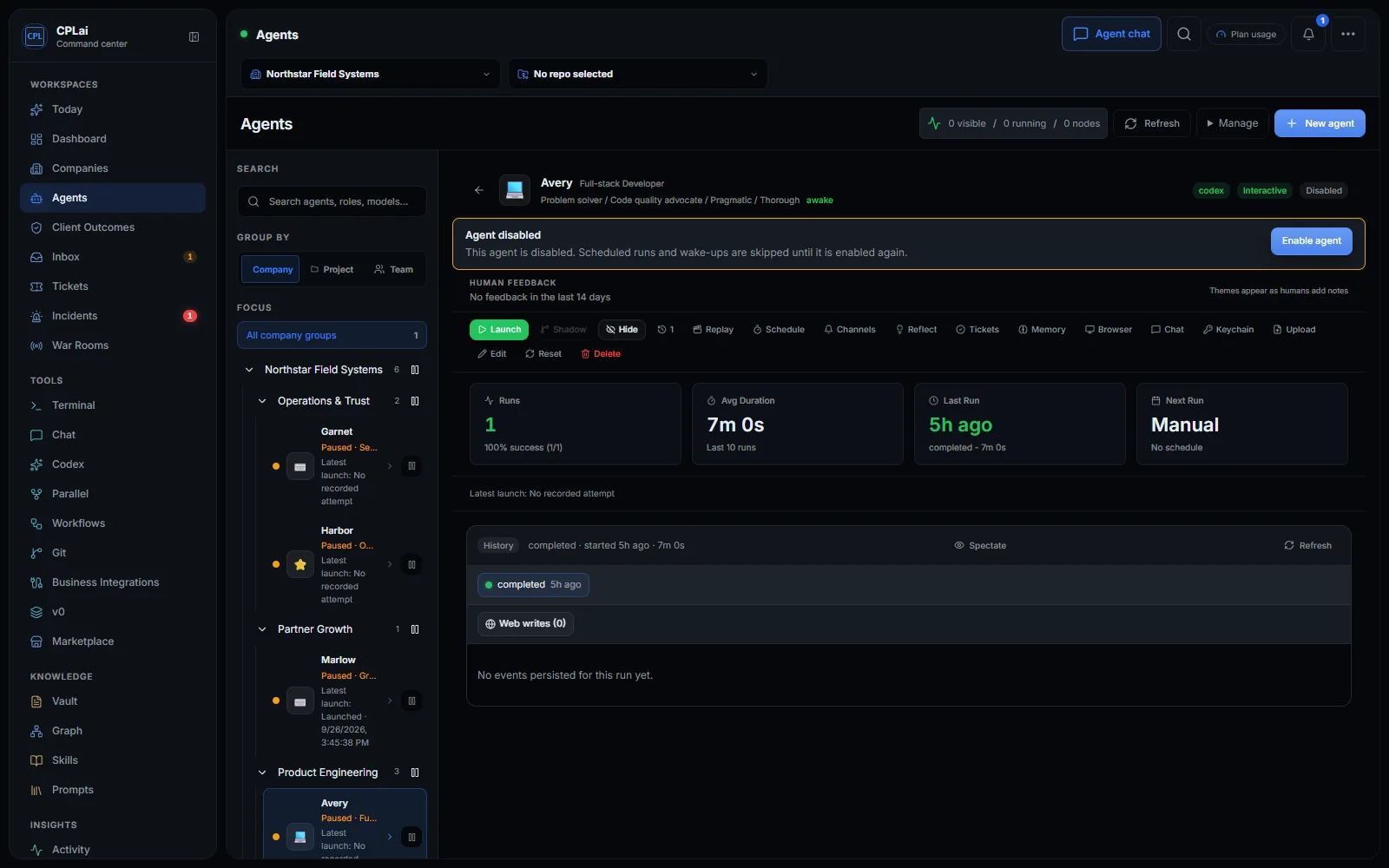
- Click Hire. The agent appears on the Agents fleet wall with its own workspace, memory, and run history.
- Say hello: open the agent's chat and give it its first brief in plain language. Chat is also how you redirect an agent later - it remembers.
- Give it recurring work: open the agent's schedule and add one (for example, every weekday morning). Scheduled runs execute autonomously and report their results in the run history and, when configured, your notification channels.
Without a template: on the desktop Agents page, click Awaken in the agent list header. Awaken opens a guided chat, run through the Claude Code CLI, that works out the agent's identity with you and then creates the agent. The web Agents page has New agent instead, a form that creates an agent without a template.
You're done when
The agent has completed one run - either from your chat brief or its first scheduled fire - and you can read what it did in its run history.
Worth knowing early
- New agents inherit the Agent Autonomy Default (Settings -> Agents). When it is off, agents run without full permissions, and what that allows depends on the engine; per-agent permission profiles override everything.
- An agent that looks idle is often just between scheduled fires. Check its run history and schedule before assuming something is wrong.
- Budgets, memory, channels, and per-agent model choice all live on the agent's detail view.
Go deeper
Agent Hiring for templates, team hiring, and Awakening; Agents for the full fleet surface; Scheduling for execution windows and cadence.